
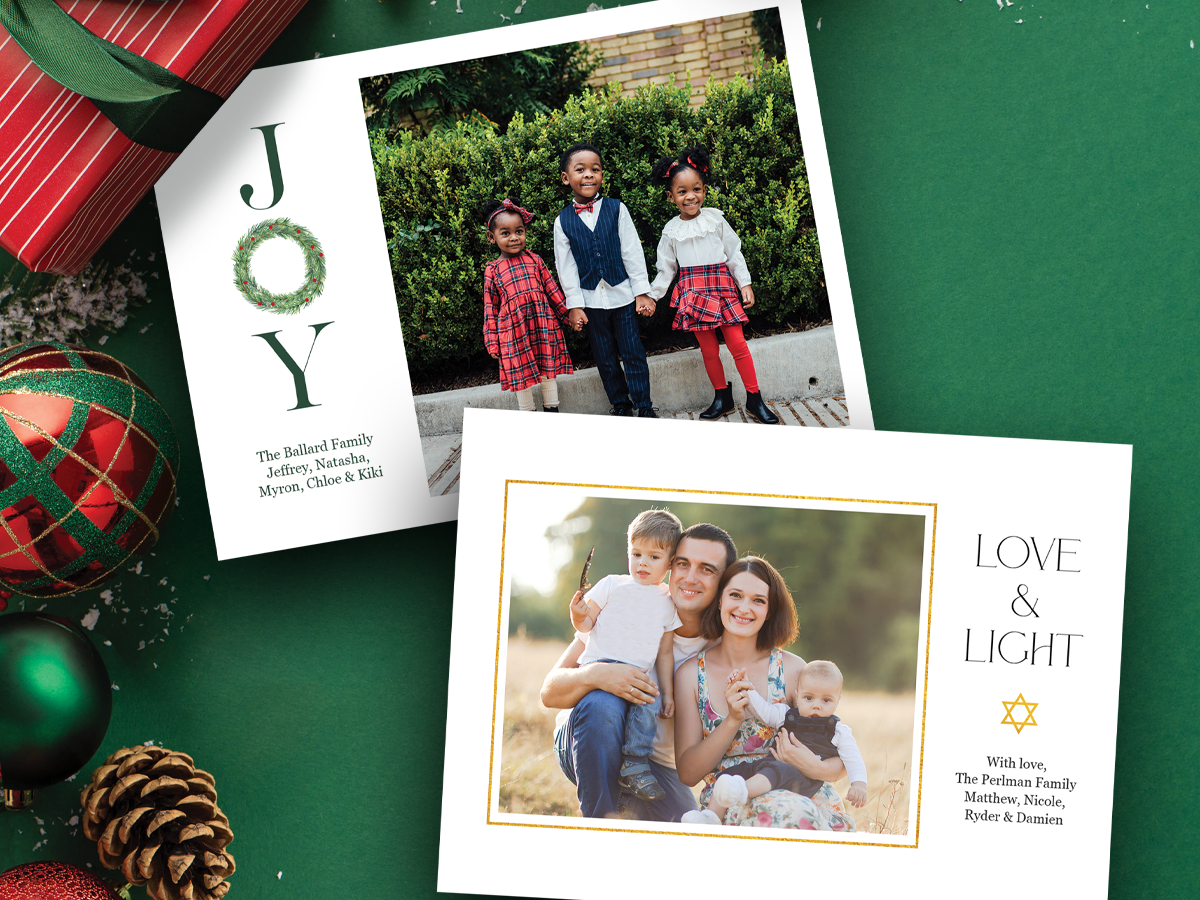
The holidays are one of the best times of the year for people to connect. Families are eager to share their favorite memories on holiday cards, and as their photographer, you have the perfect opportunity to offer them custom holiday cards to boost end-of-year sales. You provide your customer with a beautiful design with excellent service, plus showcase your photography with their loved ones, who could be your next client!
Whether you want quick and easy drag-and-drop options or prefer uploading your creative custom designs, we offer both options! McKenna’s Holiday Card collection has everything you need to make your clients’ cards unforgettable. Choose from designs that say “Merry Christmas,” “Happy Holidays,” “Happy Hanukkah,” and more.
McKenna Tip: Don’t forget to download our 2025 Holiday Card Brochure PDF to see all of the new designs. It’s a great resource for marketing your cards and showing clients all the design options available this year.
Simple Holiday Card Ordering for Photographers
Our drag-and-drop templates make it easy to create and order cards through McKenna Web or Easy Order:
- Upload your client’s images.
- Choose your favorite template.
- Drag photos into the image nodes.
- Update the text with names or greetings.
- Add to your cart and submit your order.
McKenna Tip: The more text you add to a text node on the drag-and-drop templates, the smaller the text will automatically size.

Let Your Creativity Flow on Holiday Card Designs
If you’d like to tweak our designs to fit your brand or your client’s style, we have the downloadable PSD templates available. You can easily change colors, fonts, and text sizes or add extra photo nodes to make it your own.
And if you’re designing from scratch, our Base Template PSDs include:
-
- Correct bleed setup (⅛” on each side)
- Safe line guides to keep text and elements properly within the printing space
- Trim references
McKenna Tip: Always keep key details of your images and text inside the safe area for the best results.
What to Include in a Custom Holiday Card Design
If you’re designing your clients’ custom holiday card, include these important elements:
-
- Family name
- Year
- Personalized greeting or short message
- Favorite image(s) from their session
- Studio logo or website (a subtle way to market your business and encourage referrals)
McKenna Tip: Do you want to pluralize the last name for the holiday card? Avoid the apostrophe, as this indicates possession. Add an “s” to most names (e.g., The Masons or The Hudsons). For names ending in -s, -z, -sh, -ch, or -x, add “-es” (e.g., The Searfosses).

Happy Designing (and Happy Holidays!)
Once your design is complete, save your JPGs, choose your preferred McKenna paper and finish, and submit your order. Most orders ship within 1–2 business days, so you can keep the holiday momentum rolling.
BONUS TIPS: 3 Ways for Photographers to Market Holiday Cards to Clients
Here are some tried-and-true ways other photographers upsell more holiday cards this season:
-
Bundle Holiday Sessions to Include a Set of Holiday Cards
Create a “Holiday Collection” that includes a portrait session and 25 printed cards. You can even offer a print and digital combo. Give your clients a shareable web version of their card for social media with your logo, and encourage happy clients to tag your studio.
-
Highlight the Benefit of Personalization Options
Every family wants their card to feel one-of-a-kind. Showcase some of your past designs and point out how they can customize fonts, colors, and greetings. Remind them that these cards are far more personal than store-bought ones and often kept long after the holiday is over.
-
Start Marketing Early
The earlier you promote your holiday sessions and offerings, the better. Run an early-bird campaign or send out your own holiday card sample to clients. Share sneak peeks of this year’s designs on social media, and remind clients from spring or summer sessions that their images are perfect too for holiday cards.